Viking wall-oven F3 means an open temperature sensor or sensor circuit, while F4 means the circuit is shorted. Arrange professional resistance and wiring assessment for either message. F2 reports oven overtemperature and calls for sensor, wiring, and temperature-limiter checks. Keep an overheating appliance off and leave internal inspection to a technician.
Start with the actual message and cavity
Identify the full wall-oven model and the cooking cavity involved. Include the function selected when the message appeared. A double oven needs the affected section kept clear in the account.
Gather information from safely accessible identification or existing paperwork. Leave the installed appliance supported when reaching a label or connection would require movement. Explain any access limitation during booking.
Keep protective covers and safety devices in place. Stop use for smoke, sparks, visible electrical damage, or an unsafe heating condition. Existing observations are enough to begin arranging assessment.
F3: an open sensor circuit
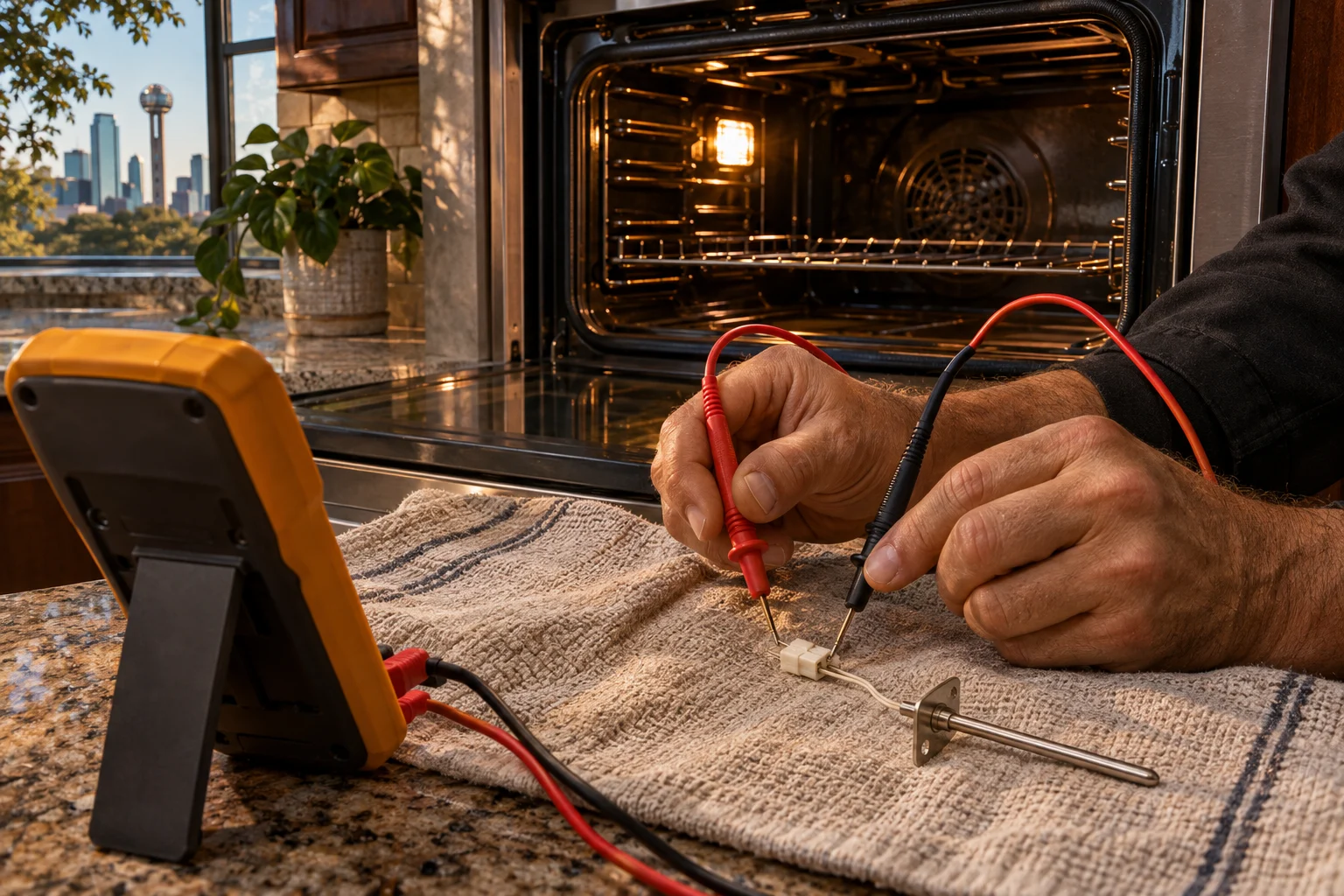
Viking F3 describes the oven sensor or its circuit as open. The technical procedure checks sensor resistance and wiring. The sensor reference is about 1100 ohms at a room temperature of 75F.
A higher reading leads to assessment of the sensor and harness. Keep these measurements with a technician who can access the actual circuit safely. Leave the oven assembled during owner preparation.
Include a returning message or interrupted operation with the original account. The technician can assess the current circuit condition and the operating history together.
F4: a shorted sensor circuit
Viking F4 means the oven sensor or its circuit is shorted. Sensor resistance and wiring are again part of the technical checks. The resistance reference rises as temperature increases.
The F4 chart gives 1082 ohms at 75F, 1656 at 350F, 2056 at 550F, and 2686 at 880F. These values are technical references for diagnosis at the appliance.
Keep electrical compartments closed and leave measurements to service. Disconnect power before permitted manual cleaning, and use only safe normal user access when gathering information.
| Code | Condition | Technical focus |
|---|---|---|
| F3 | Open oven sensor or circuit | Resistance and harness assessment |
| F4 | Shorted oven sensor or circuit | Resistance and wiring assessment |
| F2 | Oven overtemperature | Sensor, wiring, and temperature limiter |
| F1 | Electronic control malfunction | Control and touchpad assessment |
F2 and control messages
F2 identifies overtemperature. Its technical path checks the sensor wiring, sensor, and temperature limiter. Keep an unsafe heating condition out of further cooking attempts while help is arranged.
F1 means electronic control malfunction. Touch OFF/CANCEL or disconnect power safely to clear it, then call service if it recurs. The technical procedure includes touchpad testing and electronic-control assessment.
F21 means TOD2 detects a key shorted for more than 1 minute, cancelling a timed cycle or delay start. F7 concerns a shorted input key and the panel-to-board connection. Leave internal continuity and board work for the technician.
Door-lock messages describe another system
F9 reports a lock failure with sensing that says the door is unlocked. FF reports a lock failure with sensing that says the door is locked. Technical checks include the latch switch, door motor, plunger switch, and wiring.
For the described FF condition, failed latch motor and switches are replaced as an assembly. Keep the door and safety mechanism intact while arranging assessment, particularly when normal access is unavailable.
VESO5301 installation identity
The Viking VESO5301 is 29½ inches wide and 28¾ inches high, with a door-edge depth of 25⁹/₁₆ inches. Its cutout is 28½ inches wide, 28⅛ inches high, and 24 inches deep.
Keep appliance and cutout dimensions labeled separately when discussing access. The complete model helps connect the installation with the appropriate technical documents and sensor arrangement.
Other wall-oven configurations
VGDO271 is a nominal 27-inch built-in gas double oven. Its clock uses CLOCK and the plus or minus pads, with the entered time saved after about 5–10 seconds. BAKE selects baking before temperature entry, while BROIL followed by plus selects Instant Broil.
MVDOE6301BG and MVDOE6301SS each have 8.56 cubic feet of combined capacity, with 4.28 cubic feet per cavity. Cabinet width is 29 13/16 inches and convection has two speeds. Their finishes are black glass and stainless steel respectively.
VGSO166 has a 35-1/4-inch width and 23-inch height. Overall capacity is 3.6 cubic feet, with 3.3 cubic feet by its alternative measurement. Supply is 120 V AC at 60 Hz with maximum current of 8.0 A.
VGSO166 has two bake burners, each specified at 15,000 BTU for natural gas or LP, and accepts a residential gas service line with a 1/2-inch inside diameter. Keep gas and electrical connection work professional. Existing appliance paperwork can help identify the complete model when an installed label is concealed. Explain cabinetry or other access limitations when booking, allowing the technician to determine how inspection should proceed safely at the supported appliance.
One checklist before booking
- The complete wall-oven model.
- The cavity and selected function.
- The full displayed code.
- The original operating behavior.
- The result after OFF/CANCEL for F1, if safe.
- Unsafe conditions or difficult access.
Wall-oven assessment in Dallas
Arrange Viking wall-oven repair in Dallas through the contact form. Diagnosis comes first, followed by a written estimate and approval before repair. Share the model, cavity, and exact message so the sensor or control assessment begins with the installed appliance.
Keep those details available for the service visit.
Questions
What does F3 mean?
The oven sensor or its circuit is open.
What does F4 mean?
The oven sensor or its circuit is shorted.
What does F2 concern?
The oven is over temperature, with sensor wiring, sensor, and temperature limiter checked during service.
What can I try for F1?
Touch OFF/CANCEL or disconnect power safely to clear it, then obtain service if it recurs.